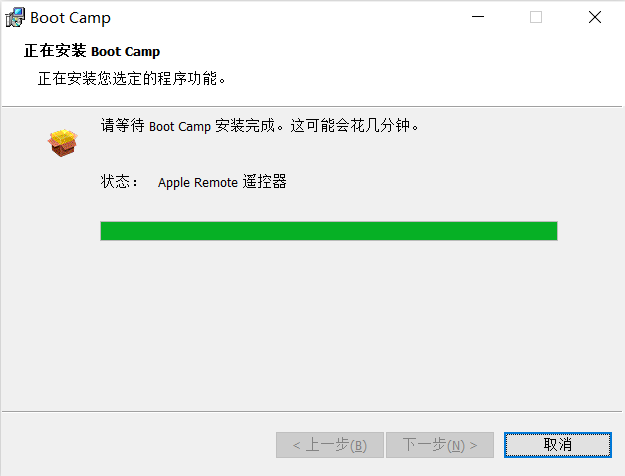
在2006年Mac上安装64位Windows 10 后 BootCamp 驱动的方法 (bootcamp x64 is unsupported on this computer model)

在64位Windows 10 下安装 BootCamp 驱动会提示 bootcamp x64 is unsupported on this computer model,按照以下方法,则可以顺利安装驱动。

  1. 以管理员方式打开终端
  2. 找到BootCamp 驱动文件夹下的BootCamp Driver\Drivers\Apple\BootCamp64.msi,修改BootCamp64.msi 以兼容模式运行(选择以前的Windows版本)
  3. 通过终端运行 X:\BootCamp Driver\Drivers\Apple\BootCamp64.msi
  4. 按提示操作即可

Related post

  1. NO IMAGE
  2. NO IMAGE
  3. NO IMAGE
  4. NO IMAGE

    2026.08.06

    RAID级别介绍
  5. NO IMAGE
  6. NO IMAGE

There are no comment yet.

HTML tag cannot be used in this comment.

ABOUT

老赵的个人博客,关于 Mac, iPhone, iPad, iPod等产品的软件和硬件技术交流。也讨论Linux/UNIX技术,服务器运维技术等。

2026 年 9 月
 12345
6789101112
13141516171819
20212223242526
27282930  

Powerd by WordPress on Xserve
Xserve 2009
@2012-2024 HelloMac Copyright